Window switcher & Dock manager for macOS

DogBar

Switch windows, not apps.

The Windows-style app switcher the Mac never had. Every open window gets its own tile, its own preview and its own dot.

Public release is being prepared. macOS 14+.

Interactive DogBar demo

DogBar mascot: a cartoon dog holding two windows

    Click a Dock icon for previews, or press Option+Tab.

    Built for Macs with a lot of windows open.

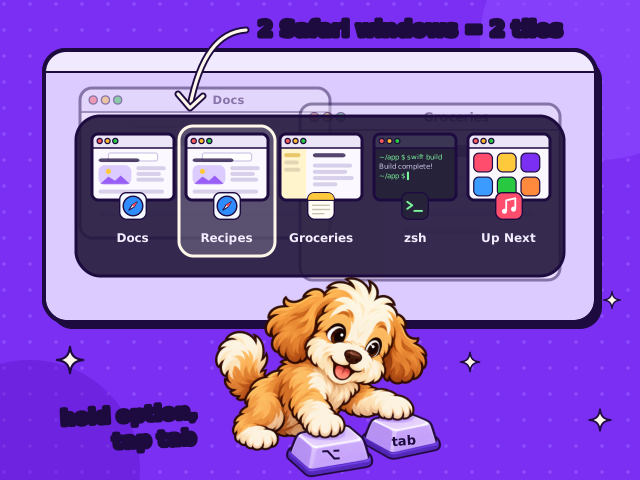
    Option+Tab switcher showing five tiles, including two separate Safari windows. Below the screen, the DogBar dog presses the Option and Tab keys.

    Alt+Tab, finally on the Mac.

    Cmd+Tab shows one icon per app, even when that app has five windows open. DogBar’s Option+Tab shows every single window as its own tile, just like on Windows. Hold Option, tap Tab, let go, and you’re in the exact window you wanted.
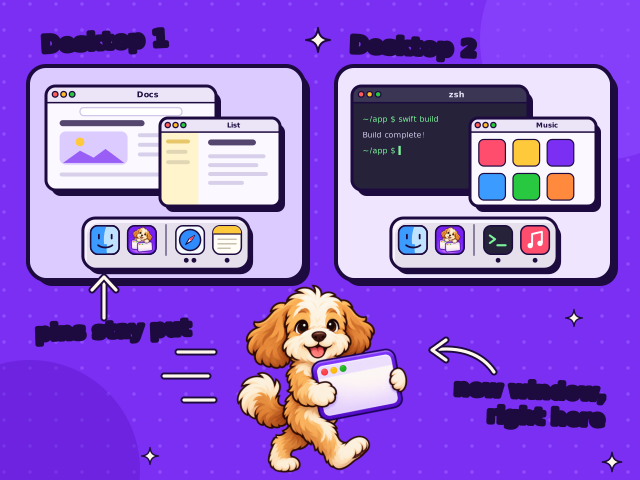
    Two desktops side by side, each with its own Dock. Finder and DogBar stay pinned on both, and the dog walks a new window over to Desktop 2.

    Every desktop is its own workspace.

    Each desktop gets a Dock with only the apps you use there, so work stays with work and personal stays personal. Click Safari when its windows live on another desktop, and DogBar asks for a new window right here instead of pulling you away. Pinned apps show up everywhere.

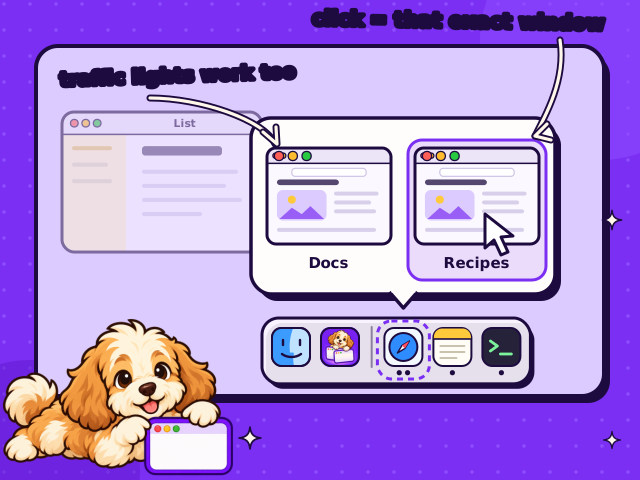
    Hovering Safari in the Dock shows previews of two windows with traffic lights. The cursor picks one window while the dog peeks up from below the screen.

    See a window before you switch to it.

    Hover any app in the Dock to see a preview of each of its windows. No more guessing which Safari window is which. Click the one you want and exactly that window comes forward, or close, minimize or zoom it with its traffic lights.

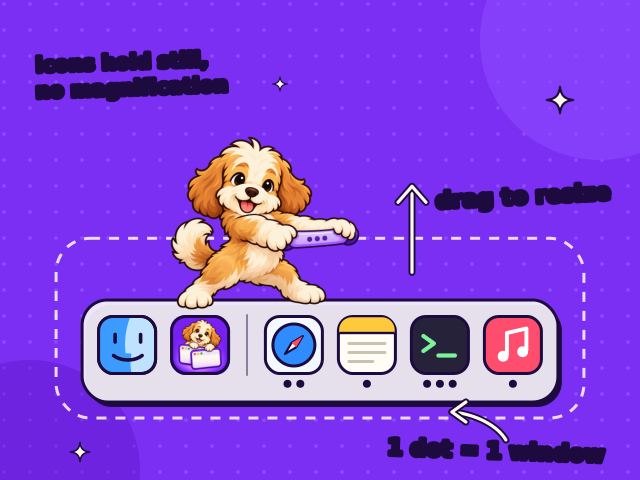
    A Dock with one dot per open window. The dog stands on the Dock and lifts its resize grip. Icons keep a fixed size.

    Know how many windows are open.

    Like the Windows taskbar, each app shows one dot for every open window. Three dots, three windows. Drag the Dock’s edge to make it bigger or smaller, and the icons stay put with no magnification wobble.

    Set it your way.

    Show apps and windows from the current desktop or from all desktops, set separately for the Dock, the switcher and previews.

    Rather keep Apple’s Dock? Native Dock mode still gives you previews and the switcher. Pause brings the regular Dock back anytime.

    Get DogBar for your Mac.

    A native Swift app for macOS 14 or later. It asks for Accessibility and Screen Recording permission so it can see your windows.

    The public release is being prepared. Until then, the demo shows how it works.